
Invoice every trip. Know who has paid.
Raise GST invoices straight from your trips, see what is outstanding and for how long, and reconcile customer statements and broker payments, line by line.
- GST invoices, gapless numbering
- Sent from your Gmail
- Your own database
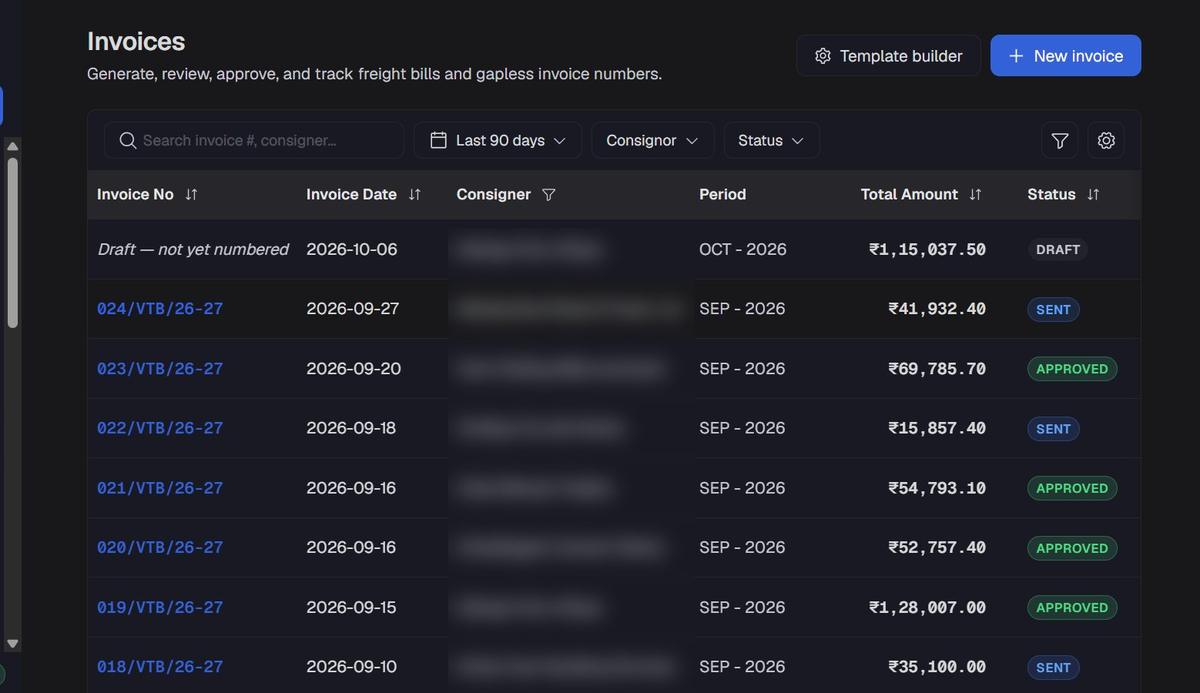
From trip to payment, step by step.
Built around trips, the way transporters already think about their money.
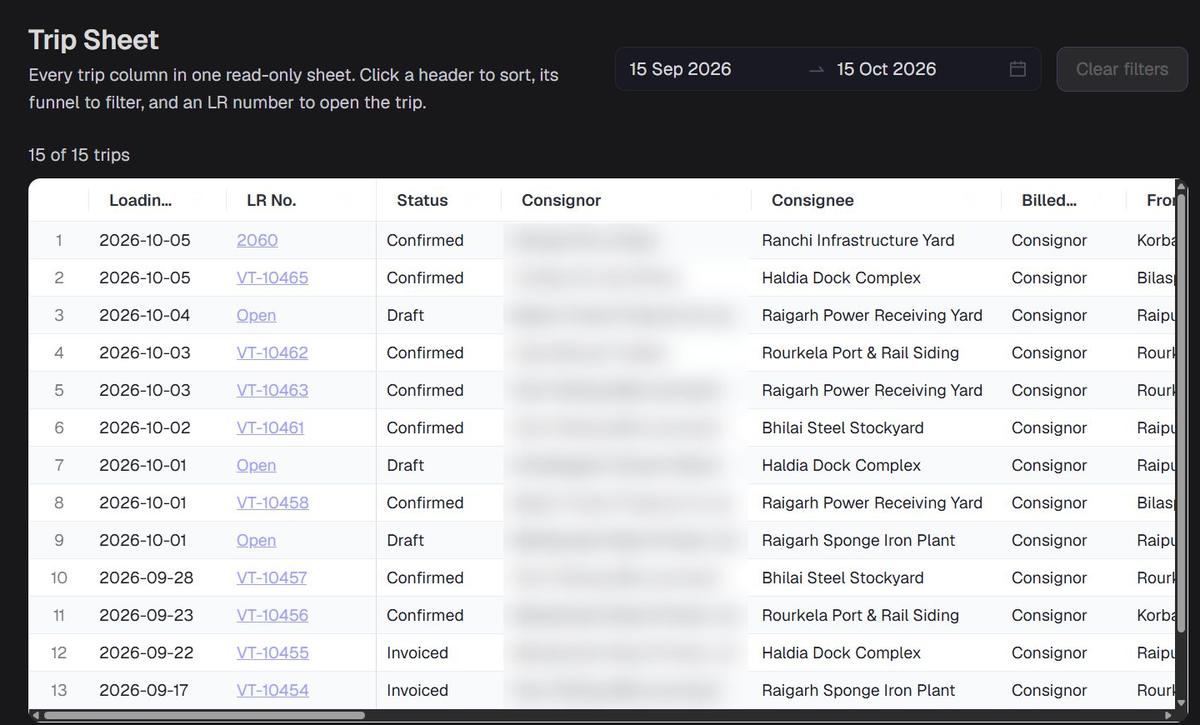
Every invoice starts with a trip.
Every trip with its LR number, consignee, freight and status, in one sheet you can sort and filter.
Reconcile a customer’s freight statement, line by line.
Import the statement, and each line is matched to a trip by your rules. Accept what agrees, and dispute what does not.
- 01Import.Upload the customer’s statement.
- 02Match.Lines matched to your trips using your mapping rules.
- 03Decide.Accept, or dispute with the trip beside it.
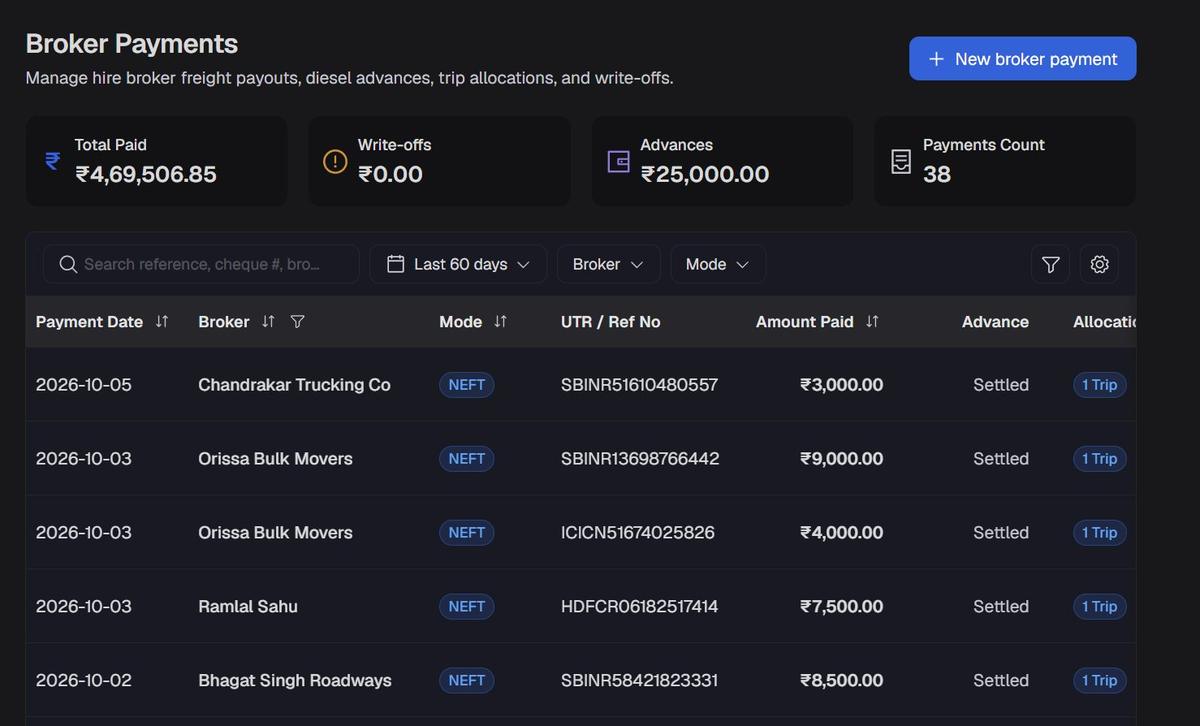
Pay brokers and fleet owners right.
Every hire payment with its UTR, mode and the trips it settles, with diesel advances and write-offs tracked.
- Each payment allocated to its trips
- Diesel advances tracked until settled
- Total paid, advances and write-offs at a glance
Your data. Your brand. Your team.
Every transporter gets its own space, on its own terms.
More in Zimpra TMS.
The rest of the trip, from booking to delivery.
Questions, answered.
Can it raise GST invoices?
Yes. Choose the GST registration and your template; numbering runs in sequence with no gaps. Invoices are approved, then sent from your Gmail.
How does statement reconciliation work?
Import the customer’s freight statement. Each line is matched to a trip by your rules, and you accept or dispute it line by line.
Does it cover expenses and profit?
Yes. Expenses, the cash book, cash flow and a monthly P&L are included alongside invoicing.
Is there a mobile app?
It runs in the browser on any device, and can be installed on a phone like an app.
Will invoicing connect to booking and tracking?
Yes. That link is being built now, so one trip will run from booking and tracking to a paid invoice in Zimpra TMS. Until then, trips are added to invoicing directly.
Invoice every trip. Get paid on time.
Tell us how you invoice and collect today. We will show it running on Zimpra TMS.